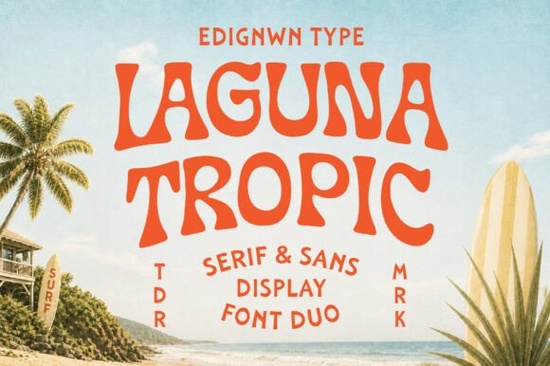
When you are building a brand identity that needs to feel warm, relaxed, and inviting, choosing the right typography makes all the difference. The Laguna Tropic font is designed specifically for this purpose. It combines a serif and sans display duo that captures the essence of retro surf culture and vintage beach motels. Whether you are creating logos for a coastal café or designing apparel for a summer collection, this typeface brings a nostalgic beachside aesthetic to your projects without feeling outdated.
What makes this typeface pair stand out?
The core appeal of this design lies in its dual nature. You get both serif and sans-serif options that work harmoniously together. The shapes feature soft organic curves and handcrafted details that mimic the signage found at classic tropical resorts. Unlike standard system fonts, these letters have bold vintage character built into their structure. The serifs are not sharp or aggressive; instead, they feel worn and comfortable, like wood carved by sea air.
Designers often struggle to find fonts that balance readability with personality. This duo manages to keep legibility high while maintaining a strong stylistic voice. The organic curves prevent the text from looking too rigid, which is essential for hospitality branding where friendliness is key. If you want to see more about how this specific style was developed, you can visit our dedicated review page for deeper technical insights.
Where does this font work best for creators?
This typeface is versatile enough for various creative industries, but it shines in specific contexts. If you run a print-on-demand business, these glyphs are perfect for t-shirt graphics that need to evoke a sense of travel and leisure. Packaging designers can use the bold weights for product labels on sunscreen, beverages, or surf wax. Here are some specific use cases where this style excels:
- Resort Branding: Use it for hotel logos, key cards, and welcome signage.
- Surf Graphics: Ideal for board shapes, stickers, and shop windows.
- Editorial Layouts: Works well in magazines focusing on travel or lifestyle.
- Beach Club Visuals: Perfect for menus, event posters, and social media headers.
Small business owners should consider how the font looks on mobile screens as well as print. The bold character ensures it remains readable even when scaled down for Instagram stories or website headers. It creates an immediate emotional connection with viewers who associate the style with vacations and good times.
Are there similar vintage styles to consider?
While this surf-inspired duo is unique, you might want to explore other options depending on your project's season or mood. For example, if you need something slightly more playful but still retro, you might look at the Welcome font. We have also documented its features in our internal archive for comparison. For projects requiring a bit more whimsy, the Sunspell typeface offers a different kind of display energy, which you can read more about on our blog section.
Seasonal projects might require a shift in tone. During the holidays, a style like Welcome Christmas could complement your branding if you want to maintain a vintage feel year-round. You can find our full analysis at the Christmas font page. Alternatively, for something with a bit more edge or quirky character, the Grinched 20 family provides a distinct alternative, detailed further in our design notes. Mixing these families requires care, but having options allows you to keep your branding fresh.
How do you install and license these files?
Most display fonts from this category come in standard formats like OTF or TTF, making them compatible with both Windows and Mac systems. After downloading, you simply install them via your system's font book or by dragging them into the Fonts folder. Always check the license agreement before starting commercial work. Most creators allow use in logos and physical products for sale, but digital end-products might require an extended license.
It is important to keep your font files organized. Create a specific folder for your branding assets so you can easily locate the weights you need during a deadline. Keeping track of your licenses is also crucial for maintaining compliance as your business grows.
Quick Checklist for Using Display Fonts
Before finalizing your design, run through this short list to ensure everything looks professional:
- Check Kerning: Adjust the space between letters, especially in all-caps headlines.
- Test Contrast: Ensure the text stands out clearly against your background images.
- Verify License: Confirm you have the right permissions for commercial use.
- Pair Wisely: Use a simple sans-serif for body text to balance the decorative display font.
- Export Correctly: Save your final files in high resolution for print or optimized formats for web.
Taking these steps ensures your final output looks polished and ready for your audience. Whether you are designing a single poster or a full brand identity, attention to these details separates amateur work from professional results.
Learn More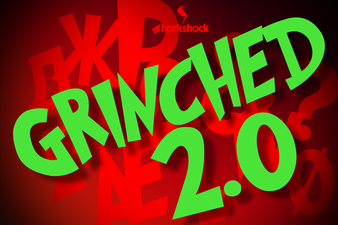 The Grinched 2.0 Font for Creative Design Projects
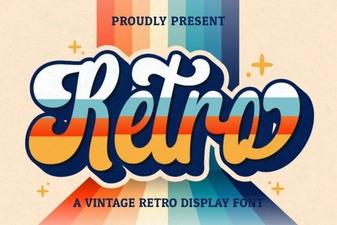 Retro Fonts for Creative Web Design Projects
 Discover Creative Font Designs for Your Projects
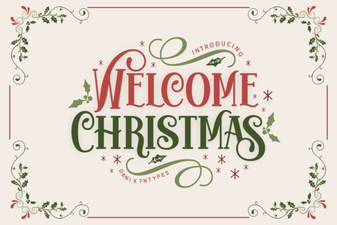 Free Christmas Fonts for Festive Design Projects
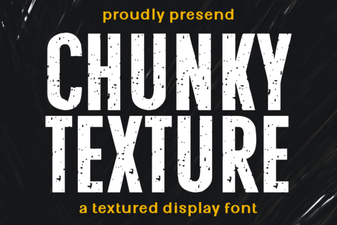 Artful Chunky Fonts for Bold Design Projects
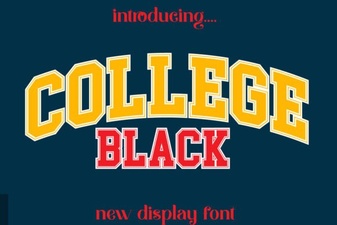 Creative College Black Font Typography Projects