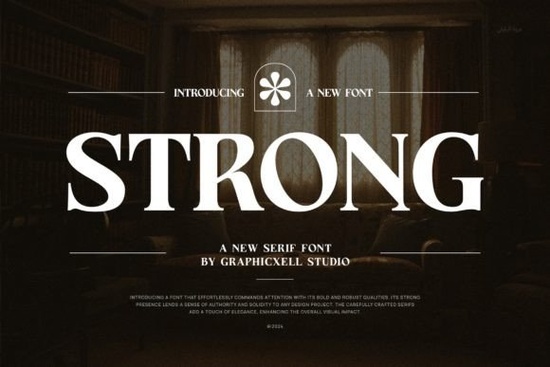
Finding the right typography for a project often comes down to balancing style with readability. You need a typeface that looks professional but remains clear across different mediums. The Strong Font offers a blend of elegance and modern utility that fits many creative projects. Whether you are making a logo or a wedding invite, the right serif makes a difference. This typeface combines classic serif structures with a clean, modern aesthetic, making it versatile enough for both print and digital use.
Designers and small business owners often struggle to find a font that works equally well on a business card and a social media post. This specific typeface addresses that need by maintaining high legibility even at smaller sizes. If you are looking to browse more options in this serif category, you will notice that not all serifs offer the same level of clarity. The structure here is designed to remain sharp without feeling too traditional or stiff.
What makes this typeface suitable for branding?
Branding requires consistency. When you choose a typeface for a logo or product packaging, it needs to convey trust and quality. The elegant curves combined with modern lines help establish a premium feel. This is particularly useful for businesses in the lifestyle, beauty, or boutique sectors. A clean serif suggests sophistication without being overly ornate.
For projects requiring an editorial look, this style fits naturally into magazine layouts or blog headers. It draws the eye without distracting from the main message. When customers see consistent typography on your labels and advertisements, it builds recognition. You can see how the Strong Font handles different weights and spacing to maintain this professional appearance across various branding materials.
How does PUA encoding help crafters?
One of the technical features that matters most to crafters is PUA encoding. PUA stands for Private Use Area. When a font is PUA encoded, it means all the special characters, ligatures, and glyphs are accessible without needing advanced design software. This is a significant advantage for users working with cutting machines like Cricut or Silhouette.
Instead of manually drawing swirls or extra flourishes, you can simply type a specific key combination to access them. This saves time and ensures that every instance of the font looks identical. For those creating wedding invitations or stationery, this consistency is vital. It removes the guesswork from adding decorative elements to your text. You get the full artistic range of the typeface directly from your keyboard.
Where can you use this style in your projects?
The versatility of this typeface allows it to slide into many different roles within your creative workflow. Because it is highly readable, it works well for body text in invitations where guests need to read details quickly. It also stands out as a display font for headlines on product packaging.
Here are several common uses where this style excels:
- Wedding Designs: Perfect for formal invitations and save-the-dates.
- Product Packaging: Adds a premium touch to labels and boxes.
- Social Media: Creates clear, engaging posts for Instagram or Pinterest.
- Watermarks: Protects photography without obscuring the image.
- Stationery: Ideal for business cards and letterheads.
If you are working on designs that benefit from sharp historical details, you might compare this modern serif against more traditional options. However, for a clean, contemporary look that still respects typographic tradition, this choice is robust. It handles capital letters and lowercase text with equal grace, ensuring your message is always clear.
What should you consider before downloading?
Before adding any new typeface to your library, think about your current project needs. Do you need something strictly for display, or will it be used for long paragraphs? This font is created with a high level of readability, making it safe for both uses. Also, check the license terms to ensure it covers your intended use, especially if you are selling physical end products like printed shirts or mugs.
Installation is straightforward on both Windows and Mac systems. Once installed, you can access the PUA features using the provided character map or by typing specific keys outlined in the font guide. This ease of access means you can start designing immediately without troubleshooting technical issues. It allows you to focus on the creative side of your work rather than fighting with software settings.
Choosing the right typography is a small step that can significantly impact the perceived value of your work. By selecting a typeface that balances modern style with classic readability, you ensure your designs remain effective over time. Take the time to test how the letters look in your specific layout before finalizing your project.
Quick Design Checklist
Before you finalize your design files, run through this short list to ensure everything looks correct:
- Check readability at 100% zoom and actual print size.
- Verify all ligatures and special glyphs are displaying correctly.
- Ensure sufficient contrast between the text and background.
- Confirm the license covers your specific commercial use case.
- Save a backup copy of your design with fonts outlined.
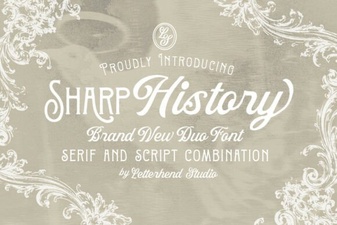 Sharp History: a Clean, Modern Font for Designers
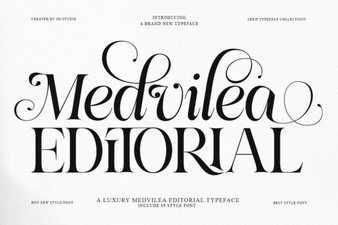 Medvilea Font for Editorial Layouts & Design
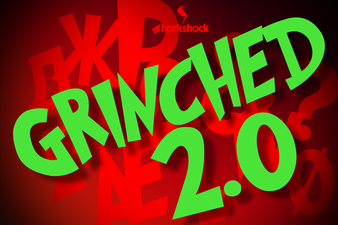 The Grinched 2.0 Font for Creative Design Projects
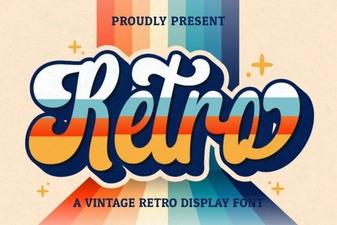 Retro Fonts for Creative Web Design Projects
 Discover Creative Font Designs for Your Projects
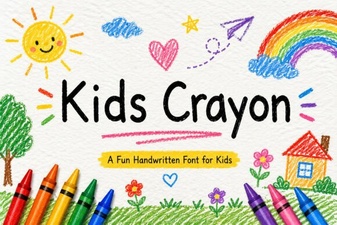 Playful Crayon Font Designs for Kids' Projects